
Download Resemble AI – AI Voice Generation, Real‑time Cloning & Multilingual Speech
Resemble AI is a transformative, web‑based voice generation platform that lets you convert your spoken words into any desired voice instantly. Powered by cutting‑edge neural networks, the tool supports rapid voice cloning, real‑time speech‑to‑speech transformation, and text‑to‑speech synthesis across more than 60 languages. Whether you’re a game developer looking to give characters a unique sound, a marketer needing localized ads, or a podcaster wanting to create synthetic voice‑overs, Resemble AI combines speed, security, and flexibility. The platform also provides an API for seamless integration, real‑time deep‑fake detection to protect authenticity, and extensive customization options for voice assistants and entertainment projects. Below we dive deep into its core capabilities, installation steps, system compatibility, and the pros and cons that matter most to users.
Key Features That Redefine Voice Generation
- Rapid Voice Cloning: Upload a few minutes of recorded speech and instantly generate a high‑fidelity AI voice that mimics the original timbre, pitch, and cadence.
- 60+ Language Support: Localize audio content for global audiences with native‑like pronunciation in languages ranging from English and Mandarin to Arabic and Swahili.
- Neural Audio Editing: Edit existing audio tracks by replacing sections with synthetic speech, preserving background ambience and timing.
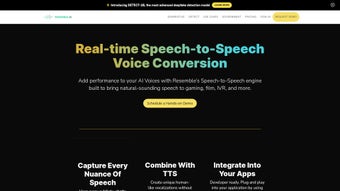
- Real‑time Speech‑to‑Speech Conversion: Speak into a microphone and hear the transformed voice immediately, ideal for live streaming, virtual events, and interactive applications.
- API Integration: Use RESTful endpoints to embed voice generation into SaaS platforms, mobile apps, or IoT devices without managing infrastructure.
- Deepfake Detection: Built‑in analysis flags synthetic speech that may be used maliciously, helping maintain ethical standards.
- Customizable Voice Assistants: Design brand‑specific voices for chatbots, IVR systems, and smart speakers, with control over emotion, speed, and intonation.
- Real‑time Text‑to‑Speech for Gaming: Generate dynamic dialogue for NPCs on the fly, enhancing immersion without pre‑recorded assets.
- Secure Cloud Processing: All audio data is encrypted in transit and at rest, complying with GDPR and CCPA regulations.
- Versioned Updates: Continuous model improvements are delivered automatically, ensuring you always have the latest voice quality.
Installation, First‑Run Setup and Daily Usage
Because Resemble AI is a fully hosted web application, there is no traditional “install” process on the client side. Users simply create an account on the Resemble AI website, verify their email, and start working from any modern browser. Below is a step‑by‑step guide to get you up and running:
- Sign Up & Verify: Navigate to Resemble AI, click “Get Started”, fill in your name, email, and a strong password. An activation link is sent to your inbox; click it to verify.
- Select a Plan: The platform offers a free tier with limited minutes per month and a paid subscription for unlimited usage, higher fidelity models, and priority API access. Choose the plan that matches your needs.
- Upload Source Audio: In the dashboard, click “Create New Voice”. Drag‑and‑drop a clear recording (minimum 30 seconds, preferably 2‑5 minutes) of the voice you want to clone. The system will automatically analyze and generate a synthetic voice model within minutes.
- Test the Clone: Use the built‑in text box to type a sentence and press “Generate”. Listen to the result, and fine‑tune parameters such as speed, pitch, and emotion using the sliders.
- Integrate via API (Optional): Retrieve your API key from the “Developer” section. Follow the REST documentation to send POST requests with JSON payloads containing either raw text or audio for conversion. Sample code snippets for Python, JavaScript, and cURL are provided.
- Real‑time Mode: For live voice‑over, click “Live Mode”, grant microphone access, and speak. The transformed voice will play through your speakers with sub‑second latency.
- Export & Share: Finished audio can be downloaded as MP3, WAV, or OGG files. You may also share a secure link directly with collaborators, who can stream the file without downloading.
For teams, Resemble AI includes role‑based access controls, version history, and collaborative workspaces, allowing multiple users to edit and approve voice assets. The platform’s intuitive UI reduces the learning curve, making it accessible to non‑technical marketers and seasoned audio engineers alike.
Compatibility, System Requirements and Integration Options
Resemble AI runs entirely in the cloud, meaning it is compatible with any operating system that supports a modern web browser (Chrome, Edge, Firefox, Safari). The service works on Windows 10/11, macOS 11+ (Catalina and later), Linux distributions, as well as mobile browsers on Android 8+ and iOS 13+. Because the heavy lifting is performed on Resemble’s servers, there are no CPU or GPU requirements on the client side, making it ideal for low‑spec laptops or tablets.
For developers, the API can be called from any environment that can make HTTPS requests. SDKs are available for:
- Python (pip install resemble‑ai)
- Node.js (npm install resemble‑ai)
- Java (Maven/Gradle dependencies)
- C#/.NET (NuGet package)
The platform also supports Webhooks for event‑driven workflows—e.g., notifying your CI/CD pipeline when a new voice model finishes training. For enterprises that require on‑premises compliance, Resemble AI offers a private‑cloud deployment option under a custom agreement.
Pros, Cons and Frequently Asked Questions
Pros
- Lightning‑fast voice cloning and real‑time conversion.
- Support for more than 60 languages, facilitating global reach.
- Secure, GDPR‑compliant cloud infrastructure.
- Robust API with SDKs for major programming languages.
- Built‑in deep‑fake detection to safeguard against misuse.
- Flexible pricing tiers, including a generous free plan.
- Intuitive web UI that requires no local installation.
Cons
- High‑quality clones require clean, noise‑free source recordings.
- Real‑time latency can vary with internet bandwidth.
- Advanced customization (emotion curves, voice morphing) is limited to paid tiers.
- API rate limits may affect large‑scale batch processing without a custom plan.
Is Resemble AI free to use?
Resemble AI offers a free tier that includes up to 30 minutes of voice generation per month, access to the web UI, and limited API calls. For professional use, the paid subscription unlocks unlimited minutes, higher‑fidelity models, and priority support.
Can I use the generated voices for commercial projects?
Yes. Once you have a subscription, you receive a commercial license that allows you to embed the synthetic voices in advertisements, video games, podcasts, and other revenue‑generating media, provided you comply with Resemble AI’s ethical usage policy.
How secure is my uploaded audio data?
All uploads are encrypted using TLS 1.3 during transmission and stored encrypted at rest. Resemble AI adheres to GDPR, CCPA, and ISO‑27001 standards, and you can delete any voice model or audio file from your dashboard at any time.
Do I need any special hardware to run real‑time voice conversion?
No special hardware is required on the client side. The processing happens on Resemble’s cloud servers. A stable internet connection with at least 5 Mbps upload/download speed ensures smooth real‑time performance.
Can I integrate Resemble AI with my existing CRM or help‑desk system?
Absolutely. The RESTful API can be called from any platform that supports HTTP requests. Many users integrate it with Salesforce, HubSpot, or Zendesk via webhook‑driven micro‑services to generate dynamic voice responses for customers.
Conclusion – Should You Download Resemble AI Today?
Resemble AI stands out as a comprehensive, secure, and highly versatile voice generation tool that caters to a wide spectrum of users—from indie game developers to multinational advertising agencies. Its rapid voice cloning, extensive language library, and real‑time capabilities make it a strong contender for anyone looking to add synthetic speech to their workflow without sacrificing quality or ethical safeguards. While the free tier offers a solid entry point, serious creators will quickly appreciate the added flexibility and higher‑fidelity output that come with a paid subscription. If you’re seeking a cloud‑based solution that combines ease of use with powerful API integration, download Resemble AI now and start experimenting with AI‑driven voice experiences today.
Overall Rating: 4.5 / 5
Pros: Rapid cloning, multilingual support, secure cloud, API flexibility.
Cons: Requires clean source audio, latency depends on connection, advanced features behind paywall.



.png)



